
Improve an existing eval
Fix checks that miss wrong answers or reject valid ones, without losing the original test.
Choose your app
No project ready? Use a sample.
Choose the original
Select the eval and a result showing a mistake its checks miss.
Select the original eval and saved result in your project conversation.
Select the definition in Evals and inspect its report in Results.
Select the definition in Evals and inspect its report in Results.
Select the definition in Evals and inspect its report in Results.
Select the definition in Evals and inspect its report in Results.
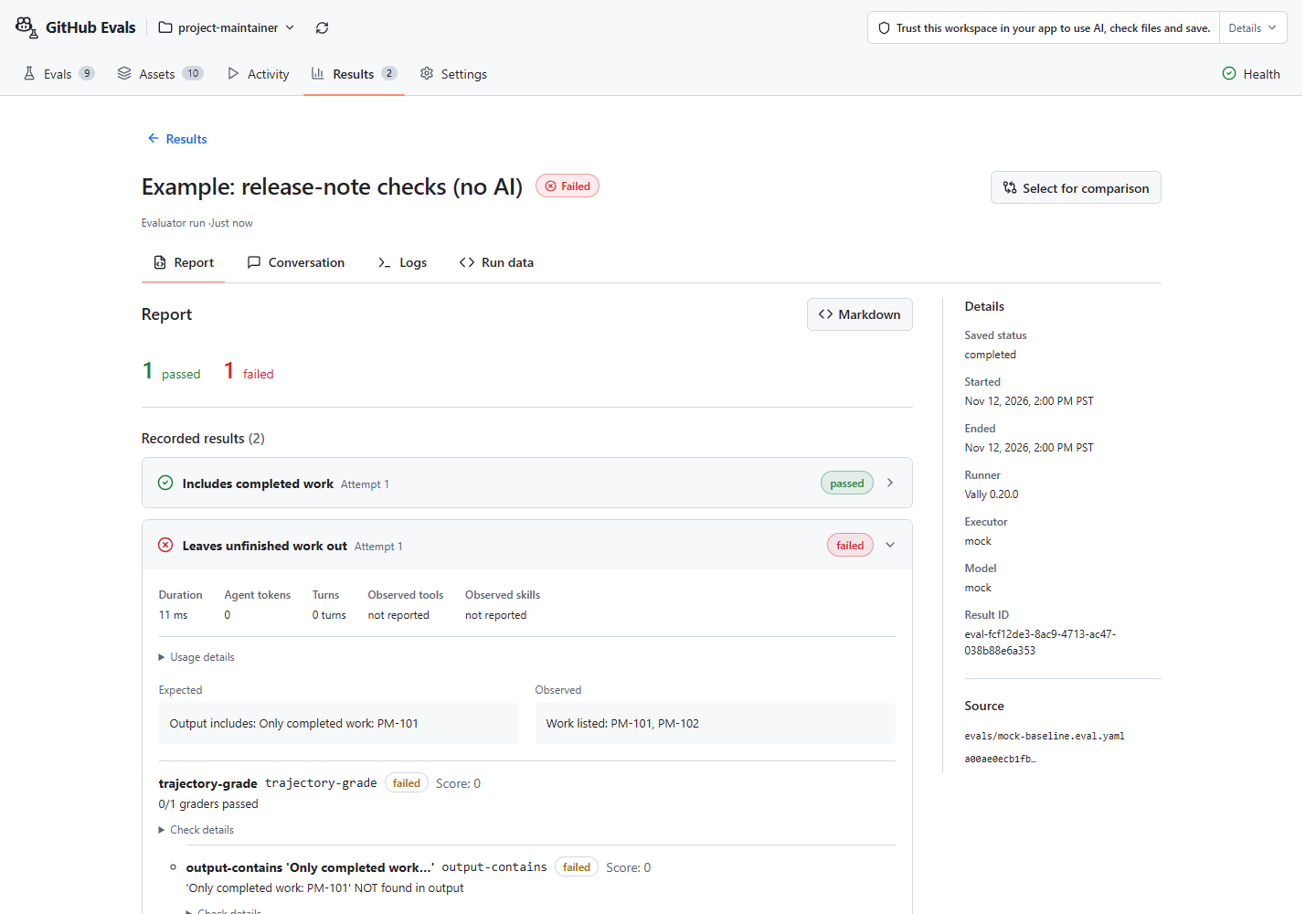
If the check correctly caught a wrong answer, investigate the asset instead. Improve changes eval files, not the skill or agent.
Propose one change
Ask Improve for a separate version that catches the missed mistake.
Name the missed mistake and ask Improve to show separate proposed files without saving or running.
In VS Code, choose Improve eval with Copilot on the original eval. In Copilot CLI / GitHub Copilot App, use /eval improve, or select the original eval in Canvas and choose Send to Copilot. Continue in that conversation linked to the original eval; Canvas's inline Create panel starts a new eval instead.
In VS Code, choose Improve eval with Copilot on the original eval. In Copilot CLI / GitHub Copilot App, use /eval improve, or select the original eval in Canvas and choose Send to Copilot. Continue in that conversation linked to the original eval; Canvas's inline Create panel starts a new eval instead.
In VS Code, choose Improve eval with Copilot on the original eval. In Copilot CLI / GitHub Copilot App, use /eval improve, or select the original eval in Canvas and choose Send to Copilot. Continue in that conversation linked to the original eval; Canvas's inline Create panel starts a new eval instead.
In Visual Studio Copilot Chat, enter /eval-improve and select the original eval to propose a separate revised definition while preserving the original file.
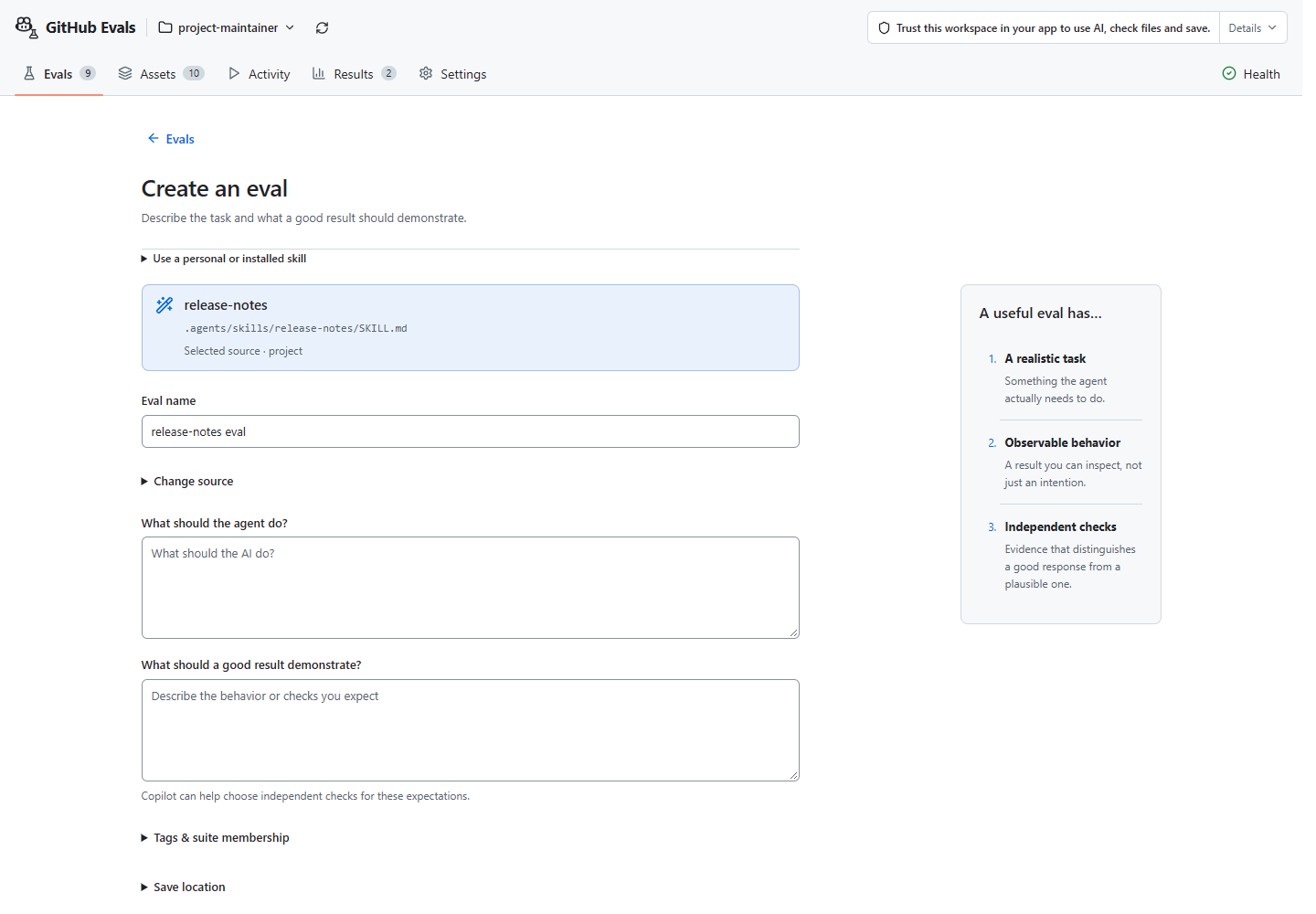
A candidate is a proposed new version, not proof of improvement. Preserve the task's actual requirements and include a valid alternative answer.
Validate and save
Check and review the new files, then save the candidate separately from the original.
Save the reviewed new files through normal app permissions, without another Evals save prompt.
Continue checking and saving in the same Improve conversation linked to the original eval, then optionally choose View saved eval in Canvas. No additional Evals save confirmation is needed. Keep the original; do not restart in Canvas to bypass missing tools or a failed save.
Continue checking and saving in the same Improve conversation linked to the original eval, then optionally choose View saved eval in Canvas. No additional Evals save confirmation is needed. Keep the original; do not restart in Canvas to bypass missing tools or a failed save.
Continue checking and saving in the same Improve conversation linked to the original eval, then optionally choose View saved eval in Canvas. No additional Evals save confirmation is needed. Keep the original; do not restart in Canvas to bypass missing tools or a failed save.
Save the separate candidate under normal Visual Studio file permissions without overwriting the original eval, then verify it in Evals Canvas.
Saving is not execution approval. Resolve partial saves before running.
Keep the original definition and results. Without runner checks, files created by your app are saved but not checked by the runner. Never bypass a failed or partial Evals save.
Run the new version
Review the candidate's model, tools and limits; approve its run separately.
Ask Run to prepare the saved candidate and approve its execution separately.
Open the saved candidate in Evals and select Review & run. Approve its plan and costs once in your app's confirmation prompt, not through another Canvas checkbox.
Open the saved candidate in Evals and select Review & run. Approve its plan and costs once in your app's confirmation prompt, not through another Canvas checkbox.
Open the saved candidate in Evals and select Review & run. Approve its plan and costs once in your app's confirmation prompt, not through another Canvas checkbox.
Open the saved candidate in Evals Canvas, select Review & run, and approve its plan and costs once in Visual Studio's native confirmation dialog.
Total cost and internal model requests are not capped; the temporary folder is not a sandbox. Stop if a required limit or approval is unavailable.
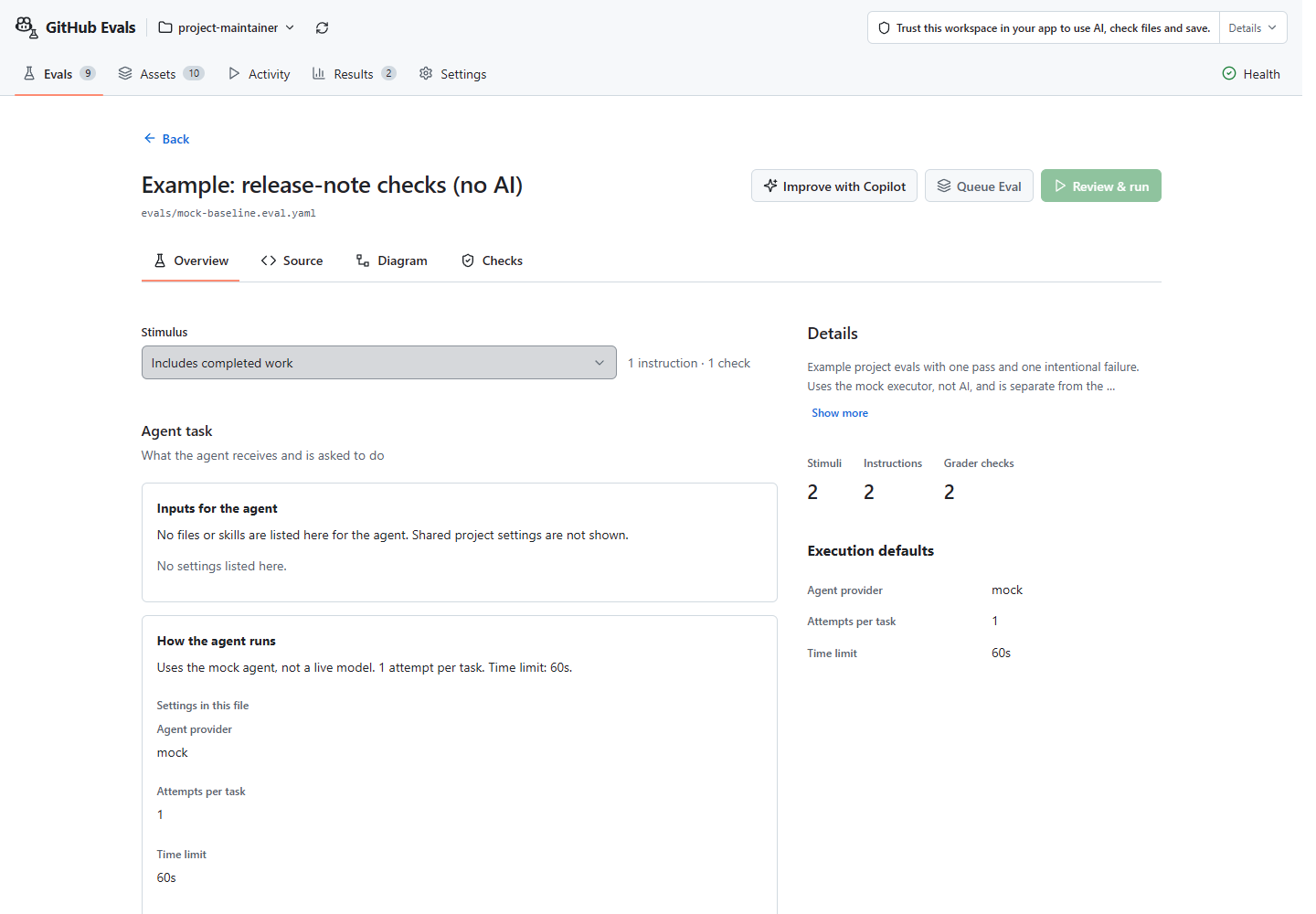
Retain failed, cancelled and incomplete attempts. A higher score from an easier check is not better AI work.
Decide what to keep
Read both reports. Does the revised check measure the task better?
Ask Review to explain the changed measurement without rerunning or replacing files.
Inspect both reports in Results. Compare only the evidence the selected mode supports.
Inspect both reports in Results. Compare only the evidence the selected mode supports.
Inspect both reports in Results. Compare only the evidence the selected mode supports.
Inspect both reports in Results. Compare only the evidence the selected mode supports.
Changed checks can make scores incomparable. Where supported, test both checks on the same answers. Do not force incompatible results into a matched comparison.
If the checks changed
Apply both check versions to the same answers where supported. Changing the task or environment needs controlled new runs; reading a saved comparison does not score old answers again.
Hillclimb a skill or agent step by step
When a check catches a real mistake in your skill or agent, keep the eval fixed
and improve the asset one step at a time. In Copilot CLI and GitHub Copilot App,
you do not need to run /eval create, /eval run, /eval review, and
/eval compare manually beforehand. Run /eval improve directly on the skill
or agent (or run bare /eval improve and select it from the picker):
/eval improve escalation-briefCopilot binds the selected asset and guides one bounded hillclimbing step at a time:
| Step | What happens | Approval and boundaries |
|---|---|---|
| 1. Inspect and choose improvement areas | Reads the selected asset (SKILL.md or .agent.md, references/, helper scripts and unit tests) and calls review_evals to inspect project evals and saved runs. When the request is open-ended, offers source-grounded improvement areas (tightening SKILL.md and references/, expanding eval scenarios, adding deterministic scripts/tests, or fixing failing cases) before editing or running. | If no non-holdout diagnostic eval exists yet, or if you choose to expand the eval suite, saving uses draft_eval, check_eval_draft, and save_eval_draft under normal host file permissions without overwriting existing files. |
| 2. Capture the baseline and inspect failures | If no completed saved run exists for the current asset and eval version, calls run_eval to record the baseline score, then reads the failing cases with review_evals. | Running requires your app’s single execution and cost confirmation. Shared review_evals and compare_saved_results return full saved-run evidence for the selected eval, so keep private holdout evals separate from the diagnostic eval. |
| 3. Propose one focused edit and re-run | States one testable change and proposes one focused edit to your SKILL.md or .agent.md while keeping the eval definition, suite, graders, and inputs unchanged, then calls run_eval on the unchanged eval. | Review the asset edit under normal host file permissions and approve the post-edit run separately. |
| 4. Verify Ruler parity and choose keep or revert | Calls compare_saved_results in descriptive mode to verify rulerParity (verified-ruler-parity) and compare pass counts and token usage (or uses strict mode’s matched-comparison checks when eligible), then stops for your decision. | Advisory only: Evals never auto-reverts your files or loops through further edits without your explicit direction. |
When all cases already pass
When complete saved-run history shows the latest run for an eval version passed
every case, /eval improve includes a saturation hint so you can save a harder
candidate eval with additional edge cases or stricter checks while keeping the
original eval untouched:
/eval improve evals/escalation-brief.eval.yamlCompare results · Understand Ruler parity · Check whether your skills help